 ZappyDue
Android and iPhone
Multiple accounts,
a schedule and tools,
on one phone.
Handle your messages with everything in one place: your accounts kept apart, your follow-up schedule and everyday tools. The schedule and the tools work without connecting any account.
12 hours free to try · available in English, Portuguese and Spanish
Day to day
Your work organized, before the first account.
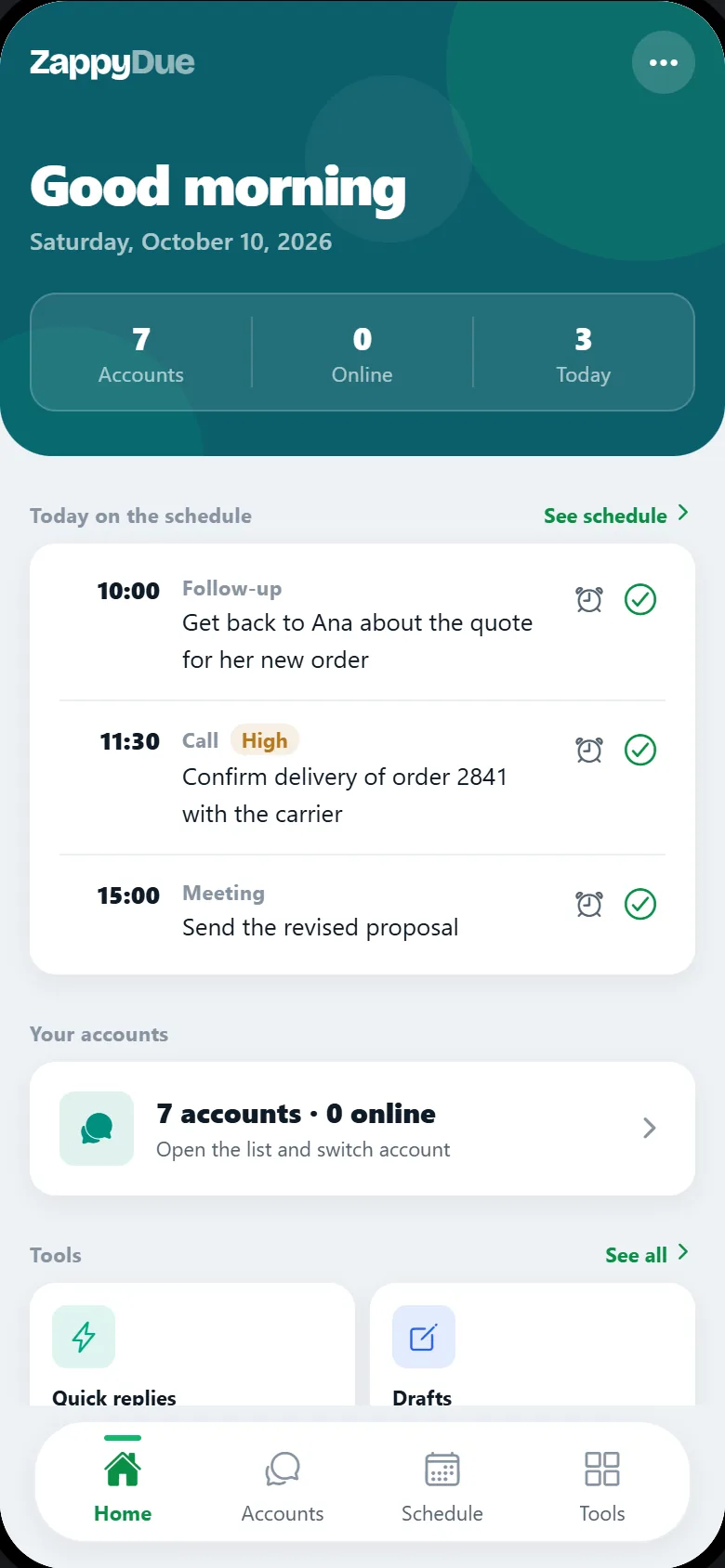
ZappyDue brings together what you use every day to reply to people: your follow-up schedule, the messages you repeat, your drafts and QR codes. All of it works offline, without connecting any account.
Your follow-up schedule
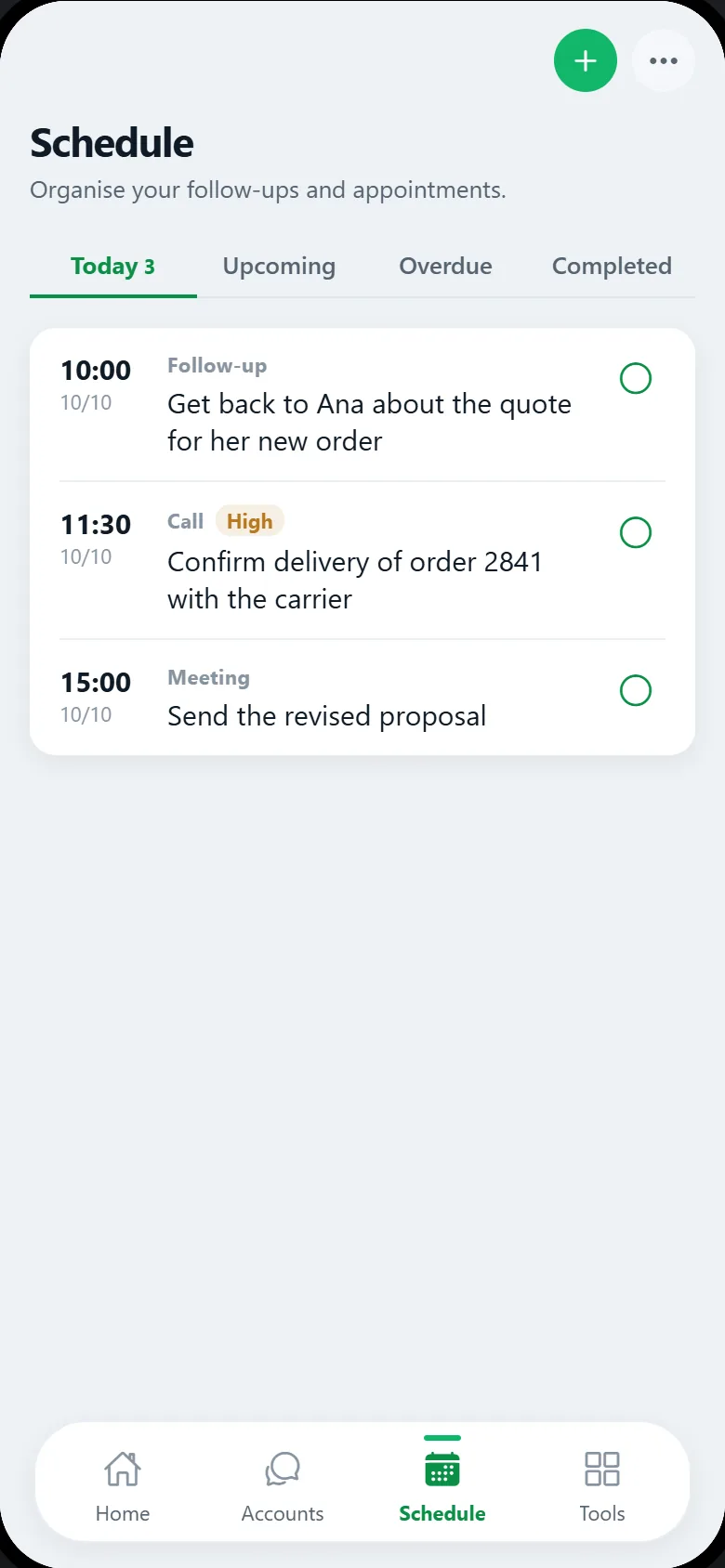
Note the follow-up the moment it comes up: who it is with, what time, what kind and a note, if you need one. The schedule sorts by itself what is for today, what is upcoming, what is overdue and what is already completed.
The reminder arrives at the time you set — with the app open or closed, because it is delivered by your phone's own system.
Quick replies and drafts
Save what you repeat every day, and take your time writing before you send.
QR Code
Create a QR code on the spot to share whatever you need, without leaving the app.
Text tools
Uppercase, lowercase, sentence case, remove accents and more, with character and word counts.
Reply assistant
Your reply, already drafted.
Type or paste the message you received and get a suggested reply in the tone you choose. You review, copy and send it whenever you want — nothing goes to WhatsApp on its own.
Paste the message
The message you received and, if you like, a little context about the conversation.
Choose the tone
Professional, friendly, concise, sales, negotiation or support.
Review and send
The suggestion appears on screen. You adjust it, copy it and decide whether and when to send it.
A feature of the Frota plan. To create the suggestion, the text you enter is sent, with your consent, to an artificial intelligence service operated by Cloudflare, and ZappyDue does not keep that content. Details in section 5.5 of the Privacy Policy (official version in Portuguese).
At the same time
Four accounts open. None of them cross.
Not one account at a time, with switching and reloading in between. They stay up together, receiving messages in parallel, each in its own storage — how many fit at once depends on your phone's memory, and the rest open with a tap.
Work
connected
Personal
connected
Sales
connected
Support
connected
The problem
Your phone takes two SIMs. What about the third account?
Two numbers fit — with eSIM, even more. What doesn't keep up is WhatsApp: past the second account, it's back to logging out, scanning the QR code again and hoping you don't reply from the wrong number.
Before
- A second phone just for the extra accounts.
- Or logging out and scanning the QR code at every switch.
- The other account's chats only show up when you remember.
- Sending a message from the wrong account — with no undo.
With ZappyDue
- One phone, several accounts connected at the same time.
- Switching accounts is one tap. No QR code again.
- Each account has a color and a name — you see who you are speaking as.
- Isolated sessions: one account never sees another.
How it works
From the first tap to the fifth account.
You use the app from the very first minute. Connecting an account is the next step — and after that they stay up on their own, even when you close and reopen the app.
-
Open it and start using it
Schedule, reminders, quick replies, drafts and QR codes work right away, without connecting anything and without signing up.
-
Connect an account by scanning the QR code
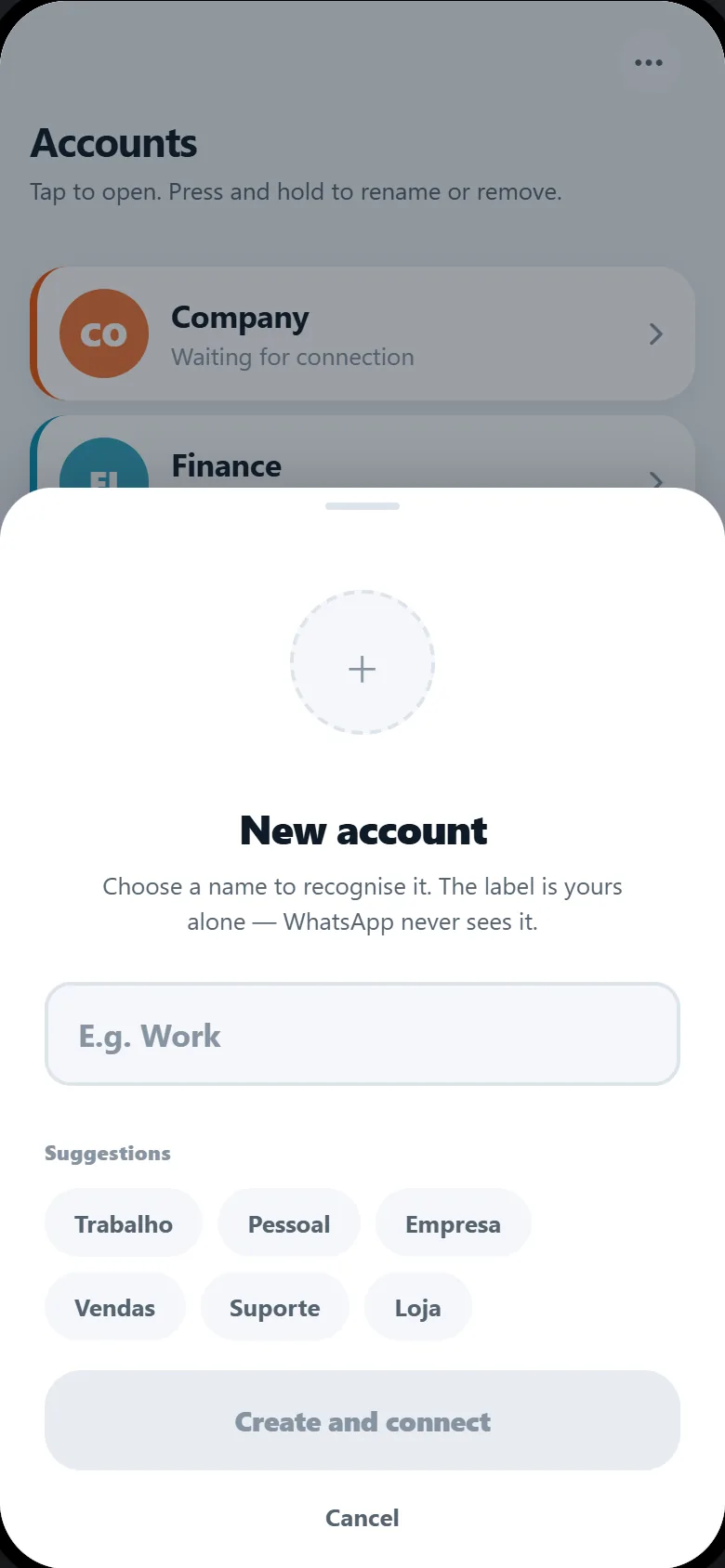
Give it a name — Work, Personal, Sales — and scan the QR code once. The label is yours alone; WhatsApp never sees it. The session stays on your phone, isolated from the others by the system itself.
-
Use several at the same time
Going back to the list and into another account reloads nothing. They stay connected, receiving messages in parallel.
Step 2, in the app
Made for phones
Not a website squeezed onto a small screen.
WhatsApp Web was designed for a monitor. Each item below exists because, without it, something was out of place on a phone.
Isolated sessions
Each account has its own cookies and storage, kept apart by the operating system itself. One never reaches the other.
A color for each account
A colored strip at the top tells you which account you are speaking from, even with the chat filling the whole screen.
App-style navigation
Tabs at the bottom, a back arrow in the header and long-press to select a message — like the app you already use.
Photos, audio and attachments
Camera, microphone and gallery work from inside the chat, with permission requested only when you use them.
Subscription, help and privacy in one place
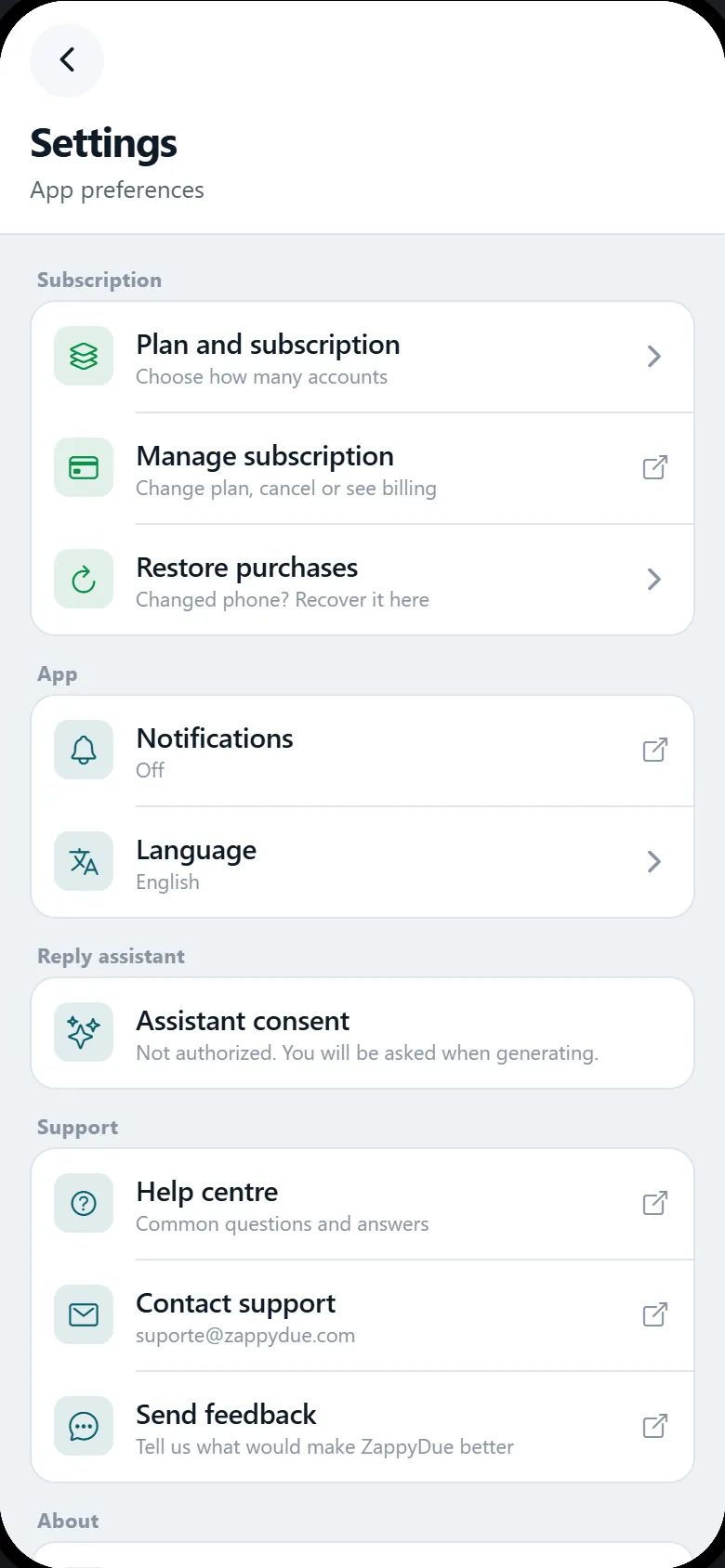
One tap on the three dots opens everything that isn't a chat: which plan you have, how to restore your purchase after changing phones, the app language, the help center, support contact and the legal documents. None of it takes up space while you work.
More accounts than your plan covers? Nothing is lost
Accounts beyond your plan are archived, not deleted: the session and the chats stay intact on your phone. They leave the main list and wait behind a discreet line at the end — so the home screen only shows what opens. The day you upgrade, they open again just as they were.
Privacy
Your chats don't go through us.
This is not a policy promise: it follows from the design. ZappyDue does not receive, read or keep the content of your chats. They go from your phone straight to WhatsApp, exactly as they would from a computer's browser.
- Your chats don't go through us. Messages, contacts and files go straight from your phone to WhatsApp.
- We don't read or keep chats, contacts, files or calls.
- We show no ads and we don't sell, rent or hand over data to anyone.
- No sign-up. No name, phone number or e-mail needed to use it.
- Sessions stay on your phone, kept apart by the system itself, and disappear when you remove the account or uninstall.
The exceptions, all in the Policy: your phone's app store charges the subscription, and RevenueCat confirms whether it is active — using a device identifier, which identifies the phone and not you. No account, message or contact goes through it. And, if you use the reply assistant, the text you enter in it yourself.
Privacy Policy (in Portuguese)Who it's for
People who live with more than one number.
If you have ever thought about buying a second phone just to keep chats apart, ZappyDue was made for you — and it also looks after the follow-up you promised and almost forgot.
People who sell on WhatsApp
The shop's number on one side, yours on the other, without mixing customers with family — and the quote you promised for 3 pm on the schedule.
Customer service and support
Several service lines open together, each named after who it serves, with the messages you repeat every day ready to go.
Freelancers and small business owners
Your work number stops competing with your personal one on the same phone, and no follow-up is left to memory.
People running more than one business
Each business with its own account, color and name — and a single schedule that brings all the follow-ups together.
People who keep work and home apart
You can close the work account and carry on with the personal one on the same phone.
People already carrying two phones
One less pocket, one less battery, one less charger in the socket.
Comparison
Or you buy another phone.
That is the real alternative, and it works. The question is what each one costs — in money, in pockets and in attention.
| Item | A second phone | With ZappyDue |
|---|---|---|
| The device | One more to buy, charge and carry. | The one already in your pocket. |
| SIM and line | Another SIM, and the line every month. | None. Each account is linked as in WhatsApp Web. |
| Switching accounts | Switching phones. | One tap on the list, nothing reloads. |
| How many accounts | One per phone. | From 2 to 30, depending on the plan. |
| Where the chats are | On each phone. | On your phone, in separate sessions. |
| Cost | The phone, plus the SIM, plus the line every month. | A monthly or yearly subscription, with no new phone. |
Plans
You choose by how many accounts.
Try it free for 12 hours, with everything unlocked and no card. After that it's a subscription — billed by your phone's app store, and you can cancel it there at any time.
Dupla
2 accounts
- Personal and work
- All features
Most chosen
Equipe
5 accounts
- Sales, support, shop
- A color and name per account
- All features
Operação
10 accounts
- For teams on several fronts
- All features
Frota
30 accounts
- For large operations
- All features, including the reply assistant
Need more than 30 accounts?
Beyond that we put it together with you: number of accounts, payment method and invoicing, to suit your operation.
Each plan comes monthly or yearly. The price is shown by the app store in your country's currency, on the purchase screen, before you confirm — along with the duration and what is included. The subscription renews automatically until you cancel, and you cancel in the store's own settings.
The plan number is how many accounts you can add. How many stay connected at the same time depends on your phone's memory — the rest open with a tap, with the chat exactly where it was.
FAQ
What people usually ask.
Is ZappyDue made by WhatsApp?
Do my chats go through you?
Is the app available in English?
Do the schedule and the tools work without connecting an account?
Does the reminder go off with the app closed?
How does the reply assistant work?
Do I need to subscribe to use the schedule?
Do I have to scan the QR code every time I switch accounts?
How do I install it?
How does the free trial work?
How do I cancel?
Can I make calls?
I changed phones. Do I lose my subscription?
Who makes ZappyDue?
Where to download
Only from the official stores.
ZappyDue is distributed exclusively through Google Play and the App Store. If you find the app anywhere else, it isn't ours.